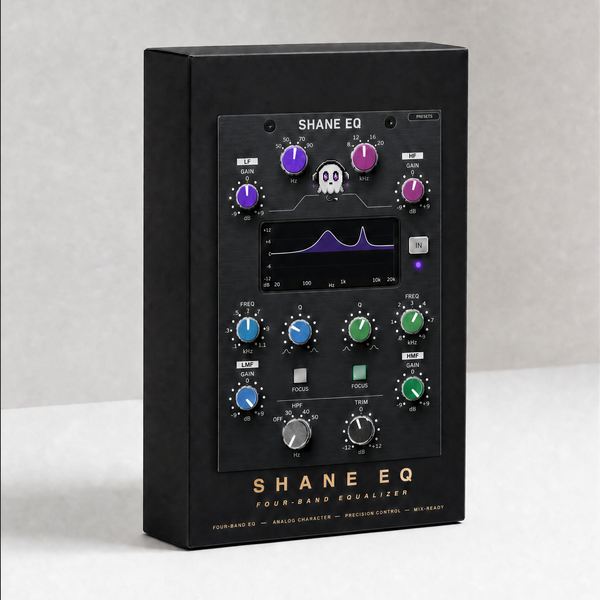
Why use it
What it doesConsole channel strip: a preamp that colours as you push it, and the EQ that sits behind it.
Reach for it whenGiving a DI or a clean take some weight. Adding drive without a distortion box.
What makes it differentThe drive comes from transformer saturation, so low frequencies distort before high ones - the low end thickens while the top stays clear.
September sale: 30% off until September 30 - use code SEPT30 at checkout.
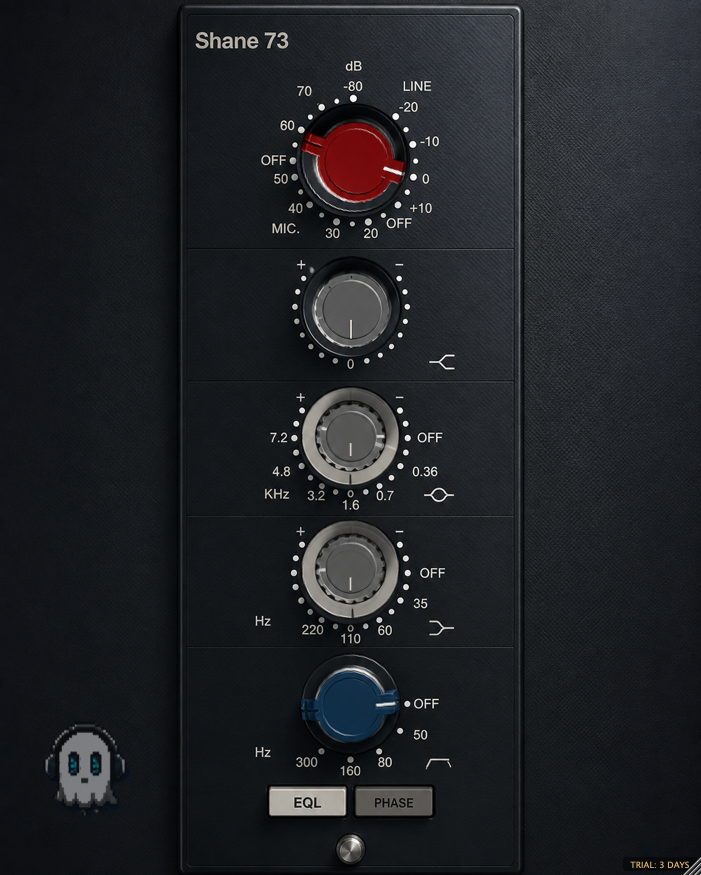
A classic console-style channel strip: a preamp that colours as you push it, and the four-band EQ that sits behind it.
The drive is modelled on transformer saturation, so the harmonics fall off with frequency the way iron does — thick low end, clean top.
CONTROLS
· GAIN mic 20–80 dB in 5 dB steps, or line
· HIGH SHELF 12 kHz
· MID peak — 0.36 / 0.7 / 1.6 / 3.2 / 4.8 / 7.2 kHz
· LOW SHELF — 35 / 60 / 110 / 220 Hz
· HIGH-PASS — 50 / 80 / 160 / 300 Hz
· EQL in/out and PHASE
WHAT'S NEW IN 1.6
· Rebuilt, re-signed and notarized for macOS (Universal) and Windows
REGISTRATION
· The plug-in runs unrestricted for a 3-day trial from first launch.
· Your licence key is on your Gumroad receipt and download page.
· Paste it into the plug-in once — it needs internet that one time, then works offline.
· Message me on Gumroad if you need it reset for a new machine.
FORMATS
macOS AU + VST3 + AAX (Pro Tools), Universal (Intel + Apple Silicon)
Windows VST3 + AAX (Pro Tools), 64-bit
INSTALL — WINDOWS
1. Unzip.
2. Copy the .vst3 to C:\Program Files\Common Files\VST3
3. Restart your DAW and rescan plugins.
INSTALL — macOS
1. Open the .pkg installer and follow the prompts.
2. Pick the formats you want (VST3 / AU / AAX).
3. Restart your DAW and rescan plugins.
Signed and notarized by Apple — no Terminal, no security workaround.
The installer asks for your admin password because the plug-ins go to /Library/Audio/Plug-Ins (available to every user on the Mac).
Stuck, or something sounds off? Message me — I answer every one.
UPDATES
Buy once, updated forever. Every future build is free to you — Gumroad emails you when there is a new one. No subscription, no upgrade fee.
FOLLOW ALONG
New plugins and what goes into them: