Why use it
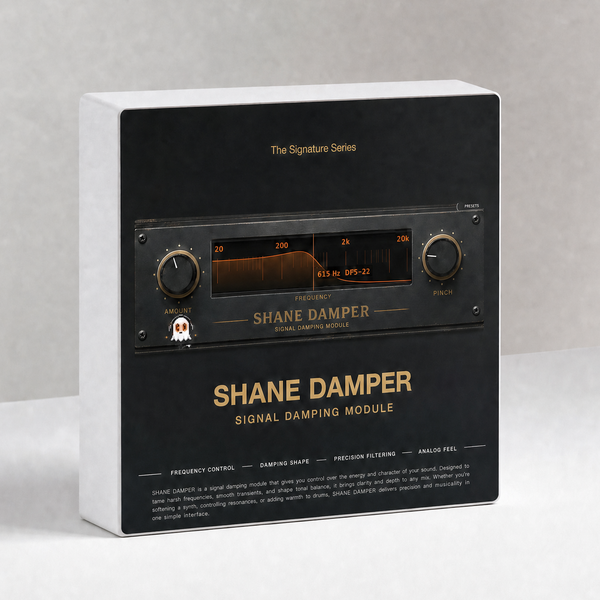
What it doesTwo knobs and a curve - find the frequency that rings, decide how hard to hold it down.
Reach for it whenResonant rooms on acoustic recordings. Boxy guitars. A piano note that jumps out.
What makes it differentIt names the note you are sitting on, not just the frequency.
Two knobs and a curve. Drag the frequency, decide how hard to damp it, and
get out. It tells you the note you're sitting on, not just the number.
CONTROLS
· AMOUNT how hard it damps
· PINCH how narrow it gets
· Drag anywhere on the curve to set the frequency
The readout shows Hz and the musical note with cents — 615 Hz D#5-22,
80 Hz D#2+38. Handy when the thing you're fighting is a note, not a number.
Watch the ghost on the left — it's been there the whole time.
WHAT'S NEW IN 1.6.2
· Mix no longer clicks when automated (0.025 → 0.00005).
· Left and right no longer share one interpolation state.
· Factory presets are now deterministic. They were partial, so a preset kept values from whichever preset you loaded before it.
· The Default program in the host's preset menu now actually restores the plug-in's defaults.
· Fixed a crash that could bring the host down: closing the plug-in window and then removing the plug-in left a timer running on freed data.
· Licence activation fixed: a bundle key now counts one activation per computer instead of one per plug-in, so one key covers five machines as stated.
· Rebuilt, re-signed and notarized for macOS (Universal) and Windows.
REGISTRATION
· The plug-in runs unrestricted for a 7-day trial from first launch, counted separately for each plugin.
· Your licence key is on your Gumroad receipt and on the download page.
· Paste it into the plug-in once — it needs internet that one time, then works offline.
· Message me on Gumroad if you need it reset for a new machine.
FORMATS
macOS AU + VST3 + AAX (Pro Tools), Universal (Intel + Apple Silicon)
Windows VST3 + AAX (Pro Tools), 64-bit
INSTALL — WINDOWS
1. Unzip.
2. Right-click "Install.bat" and choose "Run as administrator".
It puts both the VST3 and the AAX version in place.
3. Restart your DAW and rescan plugins.
INSTALL — macOS
1. Open the .pkg installer and follow the prompts.
2. Pick the formats you want (VST3 / AU / AAX).
3. Restart your DAW and rescan plugins.
Signed and notarized by Apple — no Terminal, no security workaround.
The installer asks for your admin password because the plug-ins go to /Library/Audio/Plug-Ins (available to every user on the Mac).
Signed and notarized by Apple — no Terminal, no security workaround.
The installer asks for your admin password because the plug-ins go to /Library/Audio/Plug-Ins (available to every user on the Mac).
Stuck, or something sounds off? Message me — I answer every one.
More plugins coming, posted gradually.
UPDATES
Buy once, updated forever. Every future build is free to you — Gumroad emails you when there is a new one. No subscription, no upgrade fee, no re-purchase.
FOLLOW ALONG
New plugins and what goes into them: