Why use it
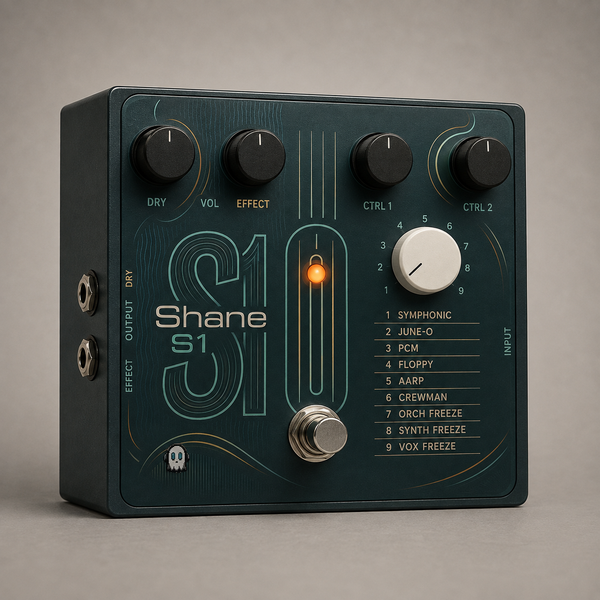
What it doesPlug a guitar in and get a synth out, tracking what you play rather than triggering samples.
Reach for it whenGuitar parts that should sound like a synth. Bass lines from a guitar. Sustained pads from a picked source.
What makes it differentPitch detection runs on a band-limited signal with parabolic interpolation, which is what keeps the tracking honest on low notes.
Plug a guitar in and get a synth out — tracking your playing, not triggering samples.
Everything depends on the front end. The pitch detector runs YIN at 8 kHz with parabolic interpolation, because a synth that mistracks is useless no matter how good the oscillators are. There's latency in any honest pitch tracker; this one hides it rather than pretending it isn't there.
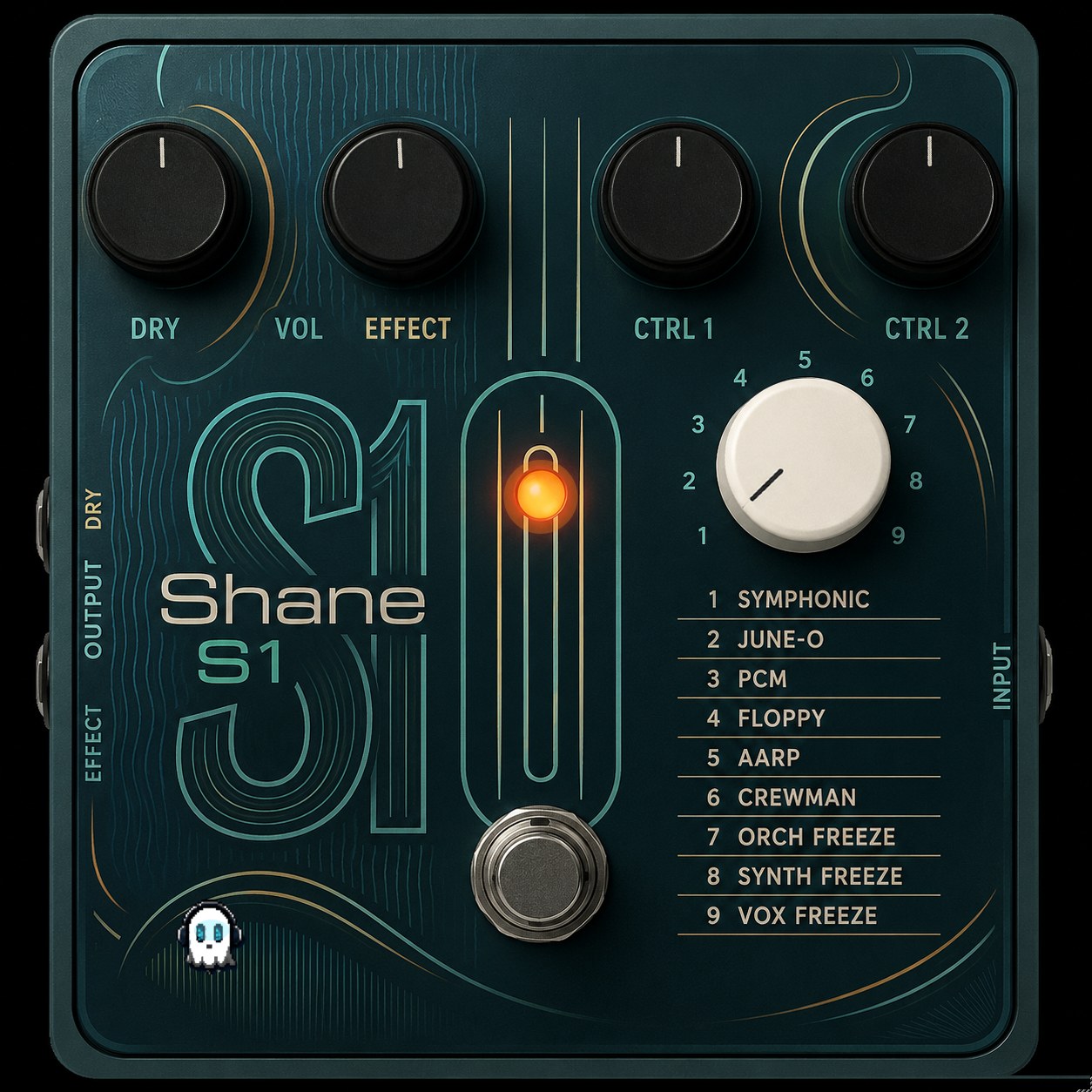
CONTROLS
· EFFECT   which synth voice you're driving
· CTRL 1 · CTRL 2   the two hands-on controls for the current voice
· PRESET   step through the voices
· DRY      your guitar, blended back in
· BYPASS
WHAT'S NEW IN 1.6.2
· The CTRL 1 and 2 knobs now show what they control in the current preset, and their value.
· The host no longer shows two identical Bypass parameters.
· Fixed a crash that could bring the host down: closing the plug-in window and then removing the plug-in left a timer running on freed data.
· Licence activation fixed: a bundle key now counts one activation per computer instead of one per plug-in, so one key covers five machines as stated.
· Rebuilt, re-signed and notarized for macOS (Universal) and Windows.
REGISTRATION
· The plug-in runs unrestricted for a 7-day trial from first launch, counted separately for each plugin.
· Your licence key is on your Gumroad receipt and on the download page.
· Paste it into the plug-in once — it needs internet that one time, then works offline.
· Message me on Gumroad if you need it reset for a new machine.
FORMATS
macOS    AU + VST3 + AAX (Pro Tools), Universal (Intel + Apple Silicon)
Windows  VST3 + AAX (Pro Tools), 64-bit
INSTALL — WINDOWS
1. Unzip.
2. Right-click "Install.bat" and choose "Run as administrator".
   It puts both the VST3 and the AAX version in place.
3. Restart your DAW and rescan plugins.
INSTALL — macOS
1. Open the .pkg installer and follow the prompts.
2. Pick the formats you want (VST3 / AU / AAX).
3. Restart your DAW and rescan plugins.
Signed with a Developer ID and notarized by Apple — no security warnings, no Terminal commands.
Stuck, or something sounds off? Message me — I answer every one.
More plugins coming, posted gradually.
UPDATES
Buy once, updated forever. Every future build is free to you — Gumroad emails you when there is a new one. No subscription, no upgrade fee, no re-purchase.
FOLLOW ALONG
New plugins and what goes into them: